
support@publishingperformance.com
Go back to application
support@publishingperformance.com
Go back to application
Amazon
Amazon Advertising TerminologyCreate an Amazon Advertising AccountEdit Your Account Name in Amazon AdvertisingFinding Your Entity ID
Advertising
Selecting KeywordsConnect a New MarketplaceEdit Your BudgetPausing and Enabling Your AdsAdd and Edit KeywordsChoosing Your Budget
Account
Update Your Payment DetailsCancel Your SubscriptionChange Your Password or Address
Getting Started
Quick Start GuideAdvertising Your BookExpectations: Your First Few MonthsCommon IssuesFAQs
Reporting
Understanding Reporting and Reporting FAQsExisting Amazon Advertising Campaign Reports

Edit Your Account Name in Amazon Advertising

How to edit your Amazon Advertising account name from Amazon.

1. Go to your Amazon Advertising Console

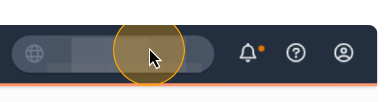
2. Click on your Account Name
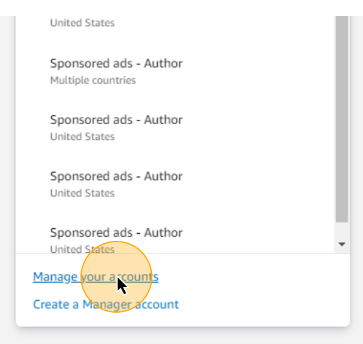
3. Click Manage your accounts
4. Click Edit name

5. Enter your new name and click save.

Note: If you want your updated account name to show in Publishing Performance you will need to complete this step prior to connecting your marketplace.


Powered by Product Fruits